
Play Sudoku online — free
Fill the grid. Race to the finish.
- 1 or 2 players
- 5 difficulty levels
- Play on your own too
- Play friends or other players online
- Phone, tablet or computer — right in your browser
- Free — no sign-up, no download
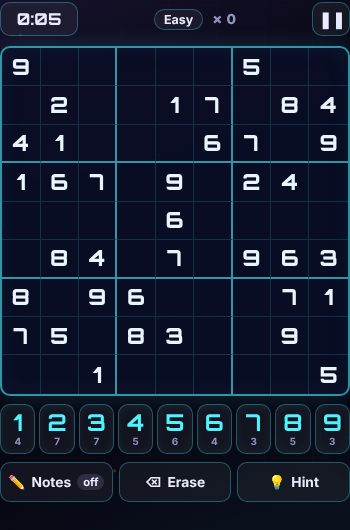
About Sudoku
Free sudoku puzzles at four levels: easy, medium, hard and expert. Every puzzle has exactly one solution, and you never need to guess — only logic.
Take your time with notes and hints, beat the timer, or race a friend or the computer on the same puzzle to see who finishes first.
How to play Sudoku
Goal
Fill every empty square so that each row, each column and each 3×3 box contains the numbers 1 to 9 exactly once. Every puzzle has one solution, and you never need to guess.
Three ways to play
- 🧩 Solo — take your time. Use 💡 Hint if you're stuck. Mistakes are counted but don't end the game.
- ⏱ Timer — finish before the clock runs out (Easy 10 min, Medium 15, Hard 25, Expert 40). 3 mistakes and it's over.
- ⚔️ Battle — race a friend or the computer on the same puzzle. The player who sends the challenge picks the difficulty. The first to finish wins. 3 mistakes and you lose. You can see a little map of your opponent's progress above the grid, but not their numbers.
How to play
- Tap a square, then tap a number. Every number is checked straight away: a wrong one flashes red and counts as a mistake.
- Tap ✏️ Notes to switch to pencil marks: small numbers you think might go in a square. Notes in the same row, column and box are tidied away when you place a number.
- ⌫ Erase clears the notes in a square.
- The small number under each button shows how many of that number are still to place.
- Keyboard: 1–9 to place, arrows to move, N or space for notes, Backspace to erase.
Difficulty
- Easy — lots of numbers given; each step is a simple "only one number fits".
- Medium — fewer numbers given, still simple steps.
- Hard — you'll need notes and tricks like pairs (two squares in a row that can only be the same two numbers).
- Expert — needs advanced techniques. For serious solvers!
Tips
- Look for a number that's already in most of the boxes — the last spot for it is often easy to find.
- Check rows, columns and boxes that are nearly full.
- On Hard and Expert, fill in notes first, then look for squares with only one note.
Sudoku: questions and answers
Is Sudoku free to play?
Yes. Sudoku on Neon Game Cave is completely free — there's nothing to download and you don't need to sign up.
Can I play Sudoku on my own?
Yes. You can play Sudoku on your own as well as with other people.
How do I play Sudoku with a friend online?
Open the Game Cave and challenge your friend from the Players online list in the lobby. To be sure you find each other, share a chat room code first — friends in a chat room also get free text chat during the game.
Can I play Sudoku on my phone or tablet?
Yes. Sudoku runs in the web browser on phones, tablets and computers, so there's no app to install. You can add Neon Game Cave to your home screen to open it like an app.
Do I need an account to play Sudoku?
No. You can play straight away as a guest. Signing in with Google is optional — it keeps your games safe in the cloud and, in games with leaderboards, puts your best scores on them.