
Play Minesweeper online — free
Clear the field. Don't touch the mines.
- A game for one player
- 5 difficulty levels
- Phone, tablet or computer — right in your browser
- Free — no sign-up, no download
About Minesweeper
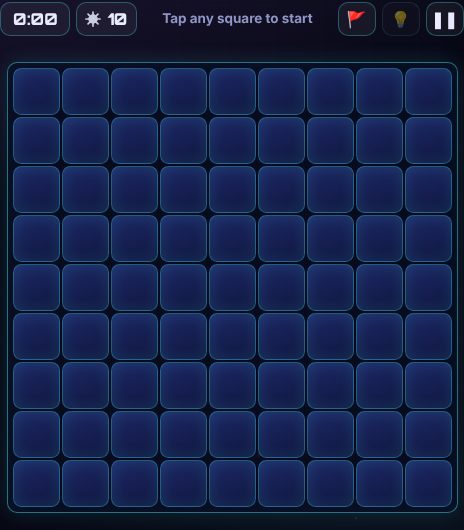
Play minesweeper free in your browser. Open every square that isn't a mine — the numbers tell you how many mines touch each square. Your first tap is always safe.
Choose easy, medium or hard, and pick no-guessing boards that can always be solved by logic alone. Play classic with a stopwatch, or beat the countdown.
How to play Minesweeper
Goal
Somewhere under the squares are hidden mines. Open every square that isn't a mine to clear the field. Open a mine and it's game over!
Modes
- 🧩 Classic — no time limit. A stopwatch starts on your first tap, so you can try to beat your best time.
- ⏱ Timer — clear the field before the countdown runs out: Easy 2 min, Medium 5 min, Hard 10 min. The countdown starts on your first tap.
How to play
- Tap a square to open it. Your first tap is always safe and opens up a patch of the field.
- A number tells you how many mines touch that square — including the ones diagonally next to it (up to 8).
- When you're sure a square hides a mine, long-press it (or right-click with a mouse) to plant a 🚩 flag. Do the same again to take it off.
- On a phone you can also tap 🚩 above the field: while it's on, taps plant flags and a long-press opens a square.
- Tap a number that already has all its flags around it to open every other square next to it in one go. Careful — if a flag is wrong, you'll set off a mine!
- The counter with the mine shows how many mines are left to flag.
- Stuck? 💡 Hint opens a safe square for you — one you could have worked out if there is one. Each hint adds 15 seconds to your time (in Timer mode it takes 15 seconds off the clock).
- ❚❚ pauses the game and hides the field. Keyboard: F switches flag mode, H asks for a hint.
Difficulty
- Easy — 9×9 squares, 10 mines.
- Medium — 12 wide × 16 tall, 30 mines.
- Hard — 16 wide × 20 tall, 60 mines.
No guessing or Lucky?
- 🧠 No guessing — every board can be cleared by careful thinking from your first tap. You'll never be stuck on a 50/50.
- 🎲 Lucky — mines are scattered completely at random, like the old-school game. Sometimes you'll have to take a chance!
Tips
- Start with the 1s next to a single closed square — that square must be a mine.
- If a number already has all its mines flagged, every other square around it is safe.
- Look at pairs of numbers side by side: a 1 next to a 2 on a straight edge often tells you exactly where the second mine is.
- Near the end, count the mines left — sometimes that's the last clue you need.
Minesweeper: questions and answers
Is Minesweeper free to play?
Yes. Minesweeper on Neon Game Cave is completely free — there's nothing to download and you don't need to sign up.
Can I play Minesweeper on my own?
Yes — Minesweeper is a game for one player. Play at your own pace whenever you like.
Can I play Minesweeper on my phone or tablet?
Yes. Minesweeper runs in the web browser on phones, tablets and computers, so there's no app to install. You can add Neon Game Cave to your home screen to open it like an app.
Do I need an account to play Minesweeper?
No. You can play straight away as a guest. Signing in with Google is optional — it keeps your games safe in the cloud and, in games with leaderboards, puts your best scores on them.