
Play Chess online — free
The classic. Checkmate the king.
- 1 or 2 players
- Play the computer — 8 levels
- Play friends or other players online
- Phone, tablet or computer — right in your browser
- Free — no sign-up, no download
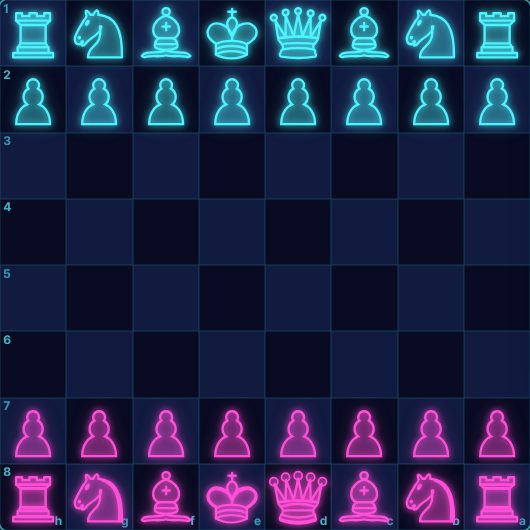
About Chess
Play chess free in your browser — against the computer or against other players online. The computer has 8 levels, from a gentle beginner (about 400 rating) up to full engine strength (2800+), so it is a good partner whether you are learning the moves or sharpening your game.
Pick a time control from 1-minute bullet to 30-minute games, or play without a clock. You can also play Chess960 (Fischer random chess), where the back-row pieces start in a shuffled order. After the game, step back through the moves and copy the game as PGN.
How to play Chess
Goal
Checkmate the other king: attack it so it has no safe square to escape to.
Setup
Each player has 16 pieces: a king, a queen, two rooks, two bishops, two knights and eight pawns. White moves first. In Chess960 the back-row pieces start in a random (but mirrored) order — same rules, fresh positions.
How the pieces move
- King — one square in any direction.
- Queen — any number of squares in a straight line or diagonal.
- Rook — any number of squares in a straight line.
- Bishop — any number of squares diagonally.
- Knight — an "L": two squares one way, one square sideways. It can jump over pieces.
- Pawn — one square forward (two on its first move); it captures one square diagonally forward.
Special moves
- Castling — move the king two squares towards a rook and the rook jumps over it. Only if neither has moved, the squares between are empty and the king isn't in, through or into check. Drag the king onto its rook (or two squares over).
- En passant — a pawn that just moved two squares can be captured as if it had moved one.
- Promotion — a pawn reaching the far row becomes a queen, rook, bishop or knight (you choose).
How the game ends
- Checkmate wins. Resigning or running out of time loses.
- Draws: stalemate (no legal move but not in check), agreement, threefold repetition, the 50-move rule, or not enough pieces left to checkmate.
Tips
- Control the centre and get your knights and bishops out early.
- Castle to keep your king safe.
- Before every move ask: what is my opponent threatening?
Chess: questions and answers
Is Chess free to play?
Yes. Chess on Neon Game Cave is completely free — there's nothing to download and you don't need to sign up.
Can I play Chess against the computer?
Yes. Choose "Play the computer" and pick one of 8 levels — from a gentle beginner to a tough opponent.
How do I play Chess with a friend online?
Open the Game Cave and challenge your friend from the Players online list in the lobby. To be sure you find each other, share a chat room code first — friends in a chat room also get free text chat during the game.
Can I play Chess on my phone or tablet?
Yes. Chess runs in the web browser on phones, tablets and computers, so there's no app to install. You can add Neon Game Cave to your home screen to open it like an app.
Do I need an account to play Chess?
No. You can play straight away as a guest. Signing in with Google is optional — it keeps your games safe in the cloud and, in games with leaderboards, puts your best scores on them.